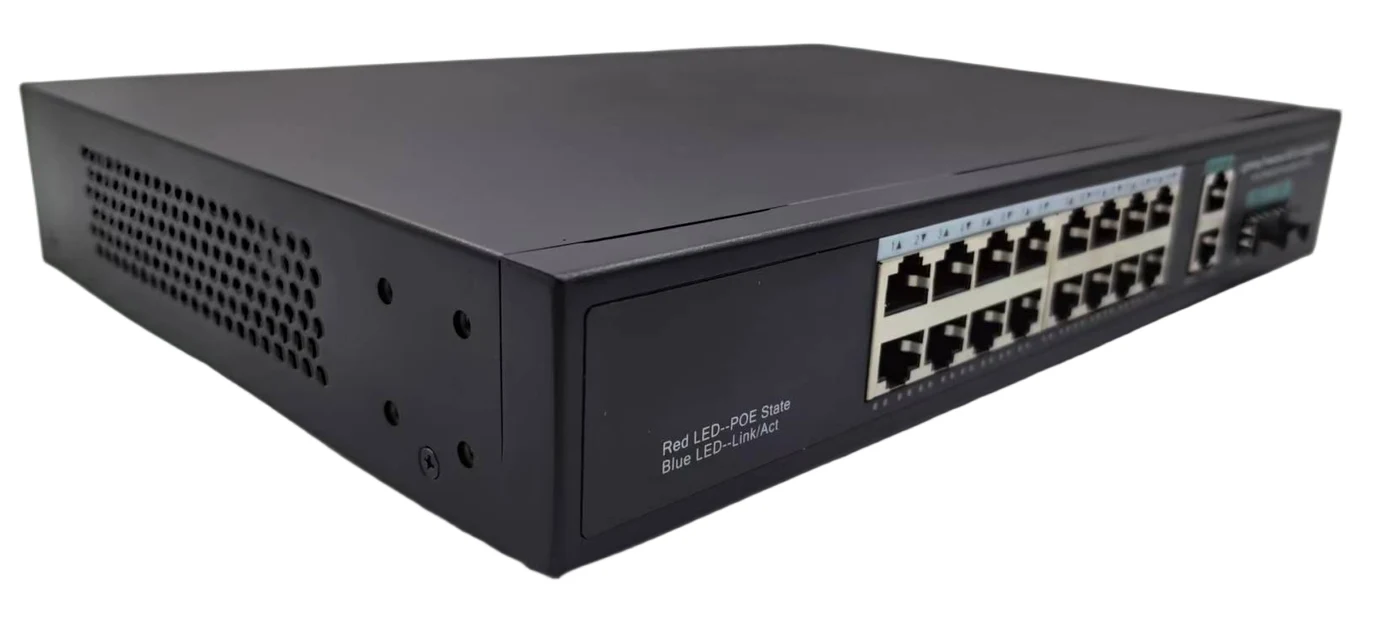
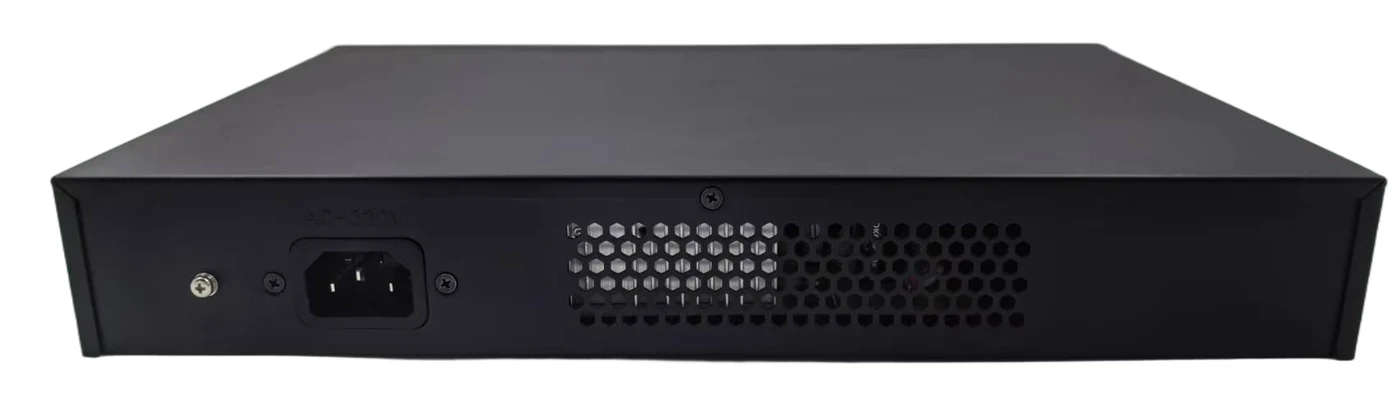
S16G02GI
Terms · Sample orders welcome · Quotation / PI fixes models, prices, Incoterms (EXW or FOB, each quoted separately), lead time and T/T payment · Defective units: free spare units agreed per order (quantity depends on order size) and written into the quotation · Warranty: up to 5 years on Zhongxin Shutong industrial switches, manufacturer warranty on other brands · Full terms, warranty & RMA
Not sure about the PoE budget? Size it with the calculator →
Need the PDF datasheet? Get it on WhatsApp →Overview
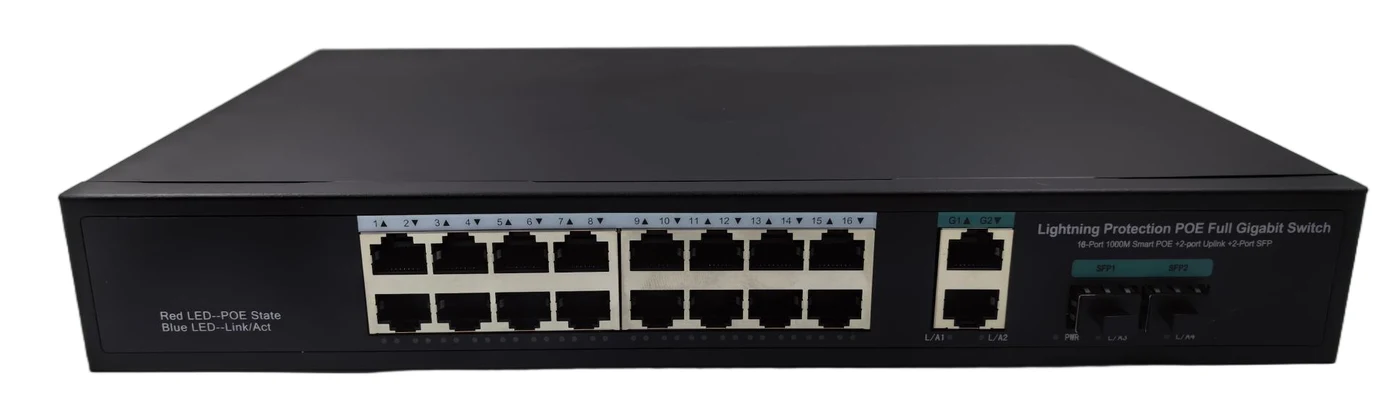
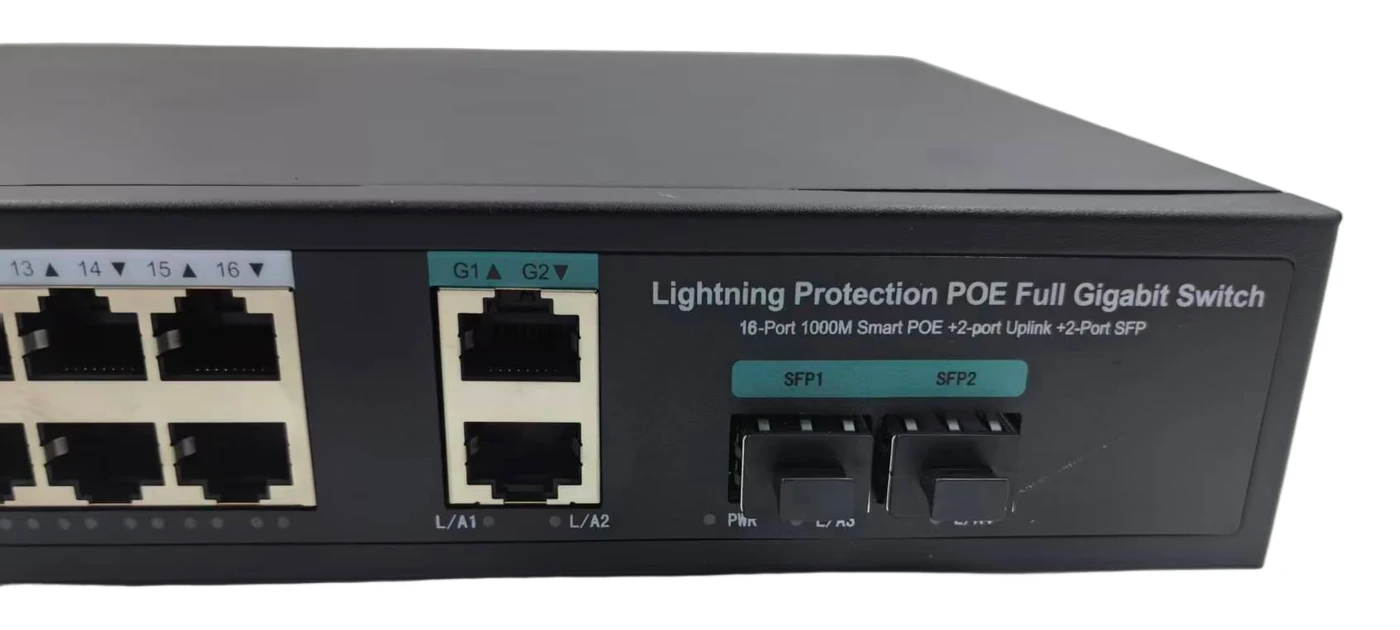
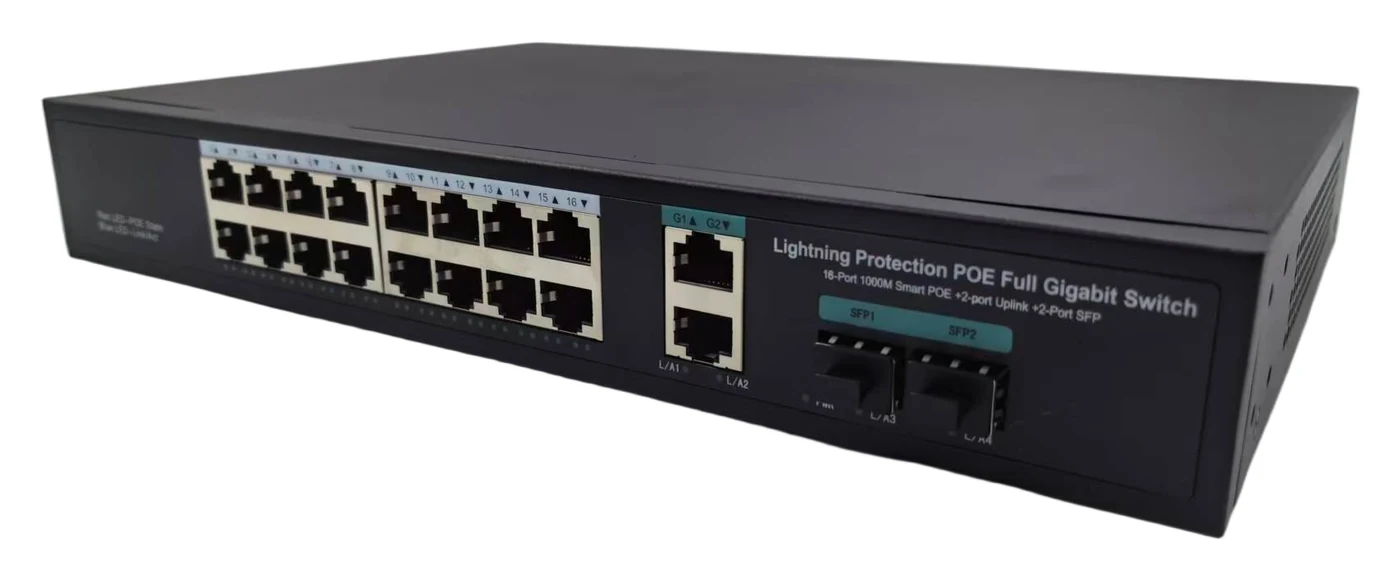
S16G02GI is Atlas's all-gigabit 16-port PoE switch: 16 auto-sensing 802.3af/at Gigabit PoE ports, 2 Gigabit RJ45 uplinks, and 2 Gigabit SFP slots for fiber redundancy or backhaul, all within a 200W power budget. What sets it apart from the rest of the Atlas PoE line is a one-key port isolation / VLAN mode: switch it on and every PoE port can talk only to the uplink, never to another PoE port, which stops a broadcast or loop storm from one bad camera or miswired patch cable from ever reaching the rest of the network -- a common cause of choppy, freezing video on installer jobs.
Is This the Right Fit?
Six real deployment scenarios matched to this model's actual datasheet specifications.
- Fixed-mode isolation, not full VLAN management -- the one-key mode isolates all PoE ports from each other on an all-or-nothing basis; it does not provide per-port VLAN tagging, spanning-tree, or a web management GUI. Choose a managed switch if the project needs granular VLANs or SNMP.
- No ring-network redundancy protocol -- built for star, tree, and bus topologies, not self-healing ring recovery.
- -10°C to +70°C is a commercial temperature range, not an industrial wide-temperature rating -- for extreme outdoor cabinets, look at Atlas's industrial DIN-rail line instead.
Key Features
- All-Gigabit Access — All 16 access ports run at full 10/100/1000M, so 4K/8MP cameras and Wi-Fi 6 APs never get bottlenecked at the edge the way they would on a 100M port.
- One-Key Port Isolation / VLAN Mode — Unique to this model: one switch flip isolates every PoE port from every other PoE port -- devices can only reach the uplink, not each other -- stopping broadcast and loop storms without touching a VLAN config screen.
- 200W PoE Budget, 30W per Port — Automatic 802.3af/at detection across all 16 gigabit ports, sized for a full run of 16 PTZ or IR cameras.
- Dual Uplink Path: Copper + Fiber — 2 Gigabit RJ45 plus 2 Gigabit SFP give a choice of copper or fiber backhaul, or a primary/backup pair to the NVR room.
- Fanless, Watchdog-Protected — Fanless metal enclosure with automatic watchdog reset, built to run silently and unattended in a comms closet for years.
- No Field Power Run Needed — PoE delivers power and data over the same Cat5e/6 cable, cutting installer labor on every camera drop.
- Desktop or Rack-Mount Enclosure — Available in desktop or rack-mount enclosures to match whatever cabinet the installation site already has.
Specifications
Ports & Interfaces
| PoE Ports | 16x 10/100/1000Base-T (RJ45), IEEE 802.3af/at |
| Uplink Ports | 2x 10/100/1000Base-T (RJ45) |
| Fiber Uplink | 2x 1000Base-X SFP slots |
| Switching Mode | Store-and-forward |
Switching Performance
| Switching Capacity | 48 Gbps |
| Forwarding Rate | 35.712 Mpps |
| MAC Address Table | 8K |
| Standards Supported | IEEE 802.3, 802.3u, 802.3ab, 802.3x |
PoE Power
| PoE Standards | IEEE 802.3af / IEEE 802.3at |
| Max Power per Port | 30W |
| Total PoE Power Budget | 200W (full load) |
| Powered Device Detection | Automatic; smart detection protects non-PoE devices |
| PoE Mode | Mode A (power over data pairs) |
Switching Features
| Port Isolation Mode | One-key toggle: all PoE ports isolated from each other, reachable only via uplink |
| Topology Support | Star, tree, and bus network topologies |
| Traffic Control | Supported |
| Duplex / Auto-Negotiation | Full/half duplex, auto MDI/MDI-X, auto-negotiated speed |
| Chipset | Chipset options available on a project basis |
Physical
| Dimensions | 300 × 175 × 46 mm |
| Housing | Metal, fanless |
| Cooling | Fanless (0 fans) |
| Protection Rating | IP30 |
| Mounting | Desktop or wall-mount |
Power Input
| Input Voltage | AC 100–240V |
| Power Supply | Built-in power supply, DC 52V 3.85A |
Environmental
| Operating / Storage Temperature | -10°C to +70°C |
| Humidity | 5%~95% RH, non-condensing |
| Ingress Protection | IP30 |
Indicators & Reliability
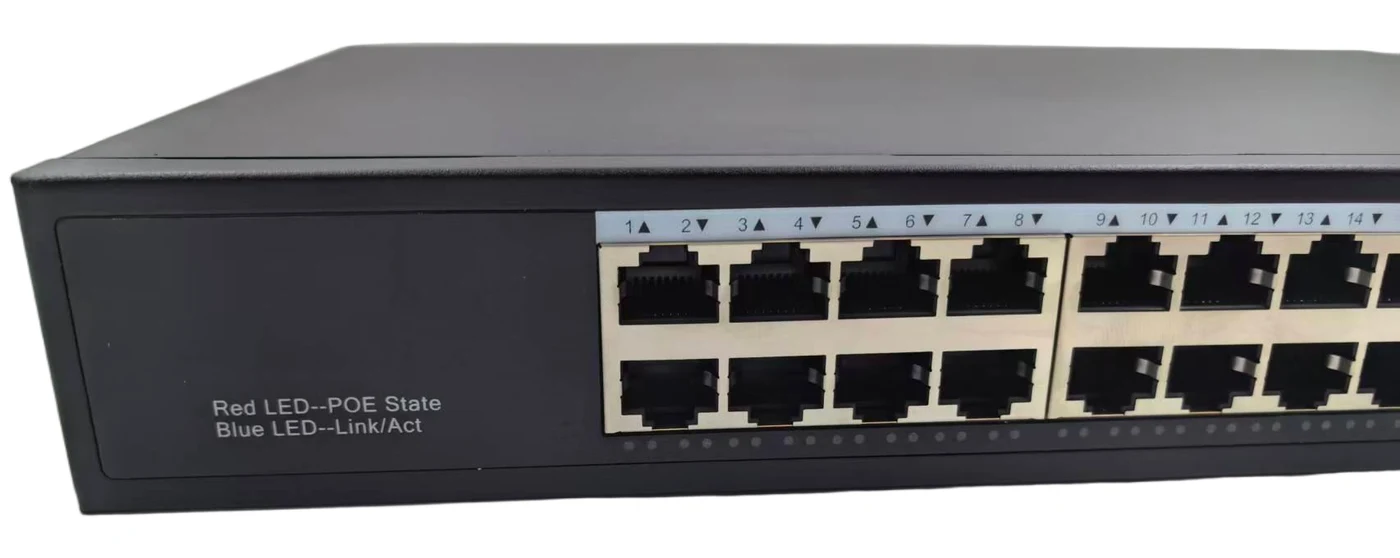
| LED Indicators | PWR power, red PoE status per port, blue link/data per port |
| Watchdog | Automatic reset on lock-up, recommended for HD camera loads |
| Packaging | 12 units / carton (reference) |
| MTBF | 50,000 hours (manufacturer figure) |
Package
| Units per Carton | 12 units/carton |
| Packing Dimensions | 380 × 274 × 100 mm |
| Unit Weight | 2.1 kg per unit |
| Box Contents | Switch × 1, power cord × 1, manual × 1, certificate × 1, warranty card × 1 |
Models & Ordering
| Model | Product Description | Price |
|---|---|---|
| S16G02GI | Single 200W, 16-port all-gigabit configuration with one-key port isolation, available in desktop or rack-mount enclosure. |
Port isolation / VLAN mode is a one-key toggle on S16G02GI: when enabled, every PoE access port can reach only the 2 uplink ports and cannot reach any other PoE port, blocking broadcast and loop storms at the source. Disable it if the project needs ports to communicate directly with each other.
Who uses it, where it goes and how to install it
Written for the Atlas S16G02GI from its own specifications: 16 × Gigabit PoE ports (802.3af/at), 200 W budget with up to 30 W per port, 2 × Gigabit RJ45 + 2 × Gigabit SFP uplinks, one-key port isolation, fanless, -10 °C to +70 °C.
Who it is for
- 16-camera projects with 4K cameras or Wi-Fi APs — All 16 PoE ports run at 10/100/1000 Mbps, so gigabit access points and high-bitrate cameras are not held to 100 Mbps at the port; 200 W runs 16 fixed cameras at a typical 6 W (96 W) with room for a few APs.
- Installers on shared or messy networks — With one-key isolation on, each PoE port can reach only the uplinks, so a faulty camera, a looped patch cable or a guest device on one port does not flood the other ports. No VLAN screens to configure.
- Sites that need a fibre link to the control room — Two 1000Base-X SFP slots let the switch sit in a remote building or on another floor and send all 16 cameras back over fibre, beyond the 100 m copper limit.
- Distributors and brands wanting private label — An Atlas factory-direct model: neutral casing ready for your logo, custom port/power options, small batches, and chipset options on a project basis. 12 units per carton (reference) for stock planning.
Where and how to install
- Indoor cabinet, shelf or wall, with air around it — The unit is 300 × 175 × 46 mm and 2.1 kg, fanless, IP30, rated -10 °C to +70 °C and 5–95% RH without condensation. Mount it indoors on a shelf, wall or in a comms cabinet, not on top of a hot NVR, and leave a few centimetres free on each side so the metal case can shed heat.
- Mains power: AC 100–240 V — The power supply is built in (DC 52 V 3.85 A) and the input is AC 100–240 V, so it runs directly on 110–127 V or 220–240 V mains with no transformer. Size the UPS for up to 200 W of PoE plus the NVR and router.
- Camera cables: 100 m maximum — No extend mode is listed for this model, so plan every camera within 100 m of Cat5e/Cat6, the Ethernet limit. Use solid pure-copper cable; copper-clad aluminium drops voltage on PoE. For cameras farther away, put a second switch near them and link it back by fibre.
- Put the NVR on an uplink port — Connect the NVR, router or core switch to a Gigabit RJ45 uplink (copper up to 100 m) or an SFP slot. This matters with isolation on: a PoE port can then talk only to the uplinks, so an NVR or PC plugged into a PoE port would not see the cameras.
- Earthing, surge and loops — No surge rating is listed for the ports: fit Ethernet surge protectors on cables that run outdoors, earth the cabinet and use the earthed plug of the supplied power cord. The switch has no spanning-tree, so never connect two of its uplinks to the same network at once.
PoE budget: how many cameras
The 200 W total, not the 30 W per port, sets the limit: 200 W over 16 ports is 12.5 W per port on average. All 16 fixed cameras fit easily; large PTZ cameras top out at about 8. The S1602G1GFI has the same budget with 100 Mbps ports and extend mode; the S24G02G2GFI is the 24-port gigabit rack model with 260 W.
| S16G02GI (this page) | S1602G1GFI | S24G02G2GFI | |
|---|---|---|---|
| PoE ports / uplinks | 16 + 2 RJ45 + 2 SFP | 16 + 2 RJ45 + 1 SFP | 24 + 2 RJ45 + 2 SFP |
| Access port speed | 10/100/1000 Mbps | 10/100 Mbps | 10/100/1000 Mbps |
| PoE budget / max per port | 200 W / 30 W | 200 W / 30 W | 260 W / 30 W |
| 4 MP IR cameras at 6 W | 16 (96 W) | 16 (96 W) | 24 (144 W) |
| Mini PTZ at 13 W | 15 (195 W) | 15 (195 W) | 20 (260 W) |
| IR PTZ at 25 W | 8 (200 W) | 8 (200 W) | 10 (250 W) |
| Extend mode | — | 250 m @ 10 Mbps | — |
| Port isolation | One-key | — | — |
| Uplink: copper (100 m) / SFP fibre | 2 × GE / 2 × 1000Base-X | 2 × GE / 1 × 1000Base-X | 2 × GE / 2 × 1000Base-X |
| Mounting | Desktop or wall | Desktop, wall or 19" rack | 19" rack |
- Ordinary 2–8 MP cameras only: the S1602G1GFI with 100 Mbps ports is enough and adds 250 m extend mode; pick the S16G02GI when you also run gigabit APs or want port isolation.
- Up to 8 PTZ at 25 W, or a mix such as 4 PTZ at 25 W plus 12 fixed cameras at 6 W (172 W): the S16G02GI fits.
- More than 16 devices, or a 19-inch rack only: move to the S24G02G2GFI (24 gigabit ports, 260 W).
Camera draws (6 W, 13 W, 25 W) are typical assumptions, not page figures: add up the maximum power from each camera's datasheet, since IR, heaters and PTZ motors raise the draw. Sibling figures come from their own pages on this site.
16-Port Gigabit PoE Switch FAQ — S16G02GI
How many cameras or access points can the S16G02GI feed?
What does the one-key port isolation actually solve?
Is the bandwidth really enough for 16 gigabit ports?
What are my uplink options toward the head-end?
Can it survive a hot, dusty equipment cabinet?
Can all 16 ports of the S16G02GI deliver 30 W at the same time?
Does the S16G02GI have a 250 m extend mode for distant cameras?
Where do I connect the NVR on the S16G02GI when port isolation is switched on?
Will the S16G02GI power cameras from Hikvision, Dahua, Uniview or other brands?
Which SFP modules fit the S16G02GI, and can I use both SFP slots for a backup link?
Can the S16G02GI be supplied with our own logo?
Ordering questions — samples, shipping, payment, lead time and genuine stock — are answered once on our FAQ page.
Related Products





Request a quote for this product
An engineer replies within 24 hours on working days with model check, price and lead time. No obligation, no newsletters.
Product: S16G02GI
For a fast, exact quote tell us: model or requirement · quantity · destination country / port · EXW or FOB · deadline.